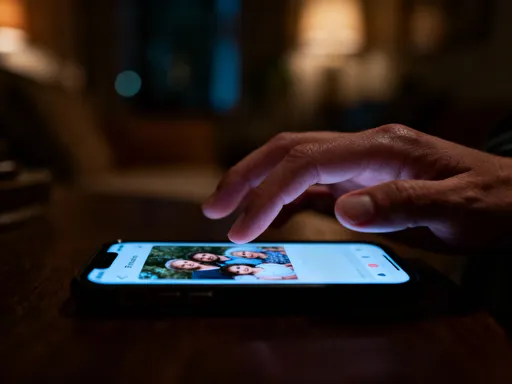
I didn’t realize my apps were spying on me — until I found this one setting
We’ve all felt it — that nagging suspicion that our phones know too much. Maybe an ad pops up for shoes you just mentioned to a friend, or your weather app suggests umbrellas before you’ve even checked the forecast. It’s not magic. It’s permissions. I used to ignore those pop-ups, tapping “Allow” without thinking. But when my photos started showing up in unexpected places, I dug deeper — and what I found changed how I use my phone forever. That moment wasn’t just about privacy. It was about trust, control, and realizing that the tiny decisions we make every day — like tapping “Allow” — add up to something much bigger.
The Moment Everything Changed: A Photo That Didn’t Belong
It was a quiet Sunday morning. I was scrolling through a photo-editing app I’d downloaded weeks ago to try a new filter. Nothing serious, just something fun to play with while sipping my tea. Then, suddenly, there it was — a photo of my youngest daughter in her favorite red sweater, sitting on our porch swing. A private moment. A memory I hadn’t shared anywhere online. And yet, there it was, staring back at me in an app I barely remembered using.
My heart dropped. How did it get there? I didn’t upload it. I hadn’t connected my cloud storage. I hadn’t given any permission I could recall. But then it hit me — when I first downloaded the app, I’d tapped “Allow access to photos” without thinking. Just like I had dozens of times before. Back then, it felt harmless. Why wouldn’t a photo app need photos? But now, seeing that image appear so casually, so out of context, I felt exposed. Violated, even. It wasn’t just about the photo — it was about the realization that pieces of my life were floating around in places I hadn’t invited them.
That moment changed everything. I started asking questions. Who else had access? What else was out there? And most importantly — what could I do about it? I wasn’t angry at the app, exactly. It wasn’t breaking any rules. It was working exactly as designed. The problem was me — or rather, the version of me who had been careless, trusting, and uninformed. I realized I wasn’t alone. So many of us carry these powerful devices in our pockets, assuming they’re working for us, when sometimes, they’re just working.
What Are App Permissions — And Why Should You Care?
Let’s take a step back. What are app permissions, really? Think of them like keys to different rooms in your house. When you install a new app, it asks for permission to access certain parts of your phone — your camera, your location, your contacts, your photos. Saying “Allow” is like handing over a key. And just like you wouldn’t give your house key to someone you just met, you probably shouldn’t hand out digital access so freely.
I used to think of permissions as a minor formality — like signing a waiver at the gym. But they’re not minor. They’re decisions. Every time you tap “Allow,” you’re making a choice about who gets to see what in your digital life. The camera permission lets an app take pictures. The microphone permission lets it listen. Location access tells it where you are, sometimes even when you’re not using the app. Contacts access? That means it can see who you’re calling, texting, or saving in your phone book.
Here’s the thing: most of us don’t read the fine print. We’re in a hurry. We want the app to work. So we tap “Allow” on everything, often without understanding what we’re agreeing to. And over time, we build up a long list of apps that have access to parts of our lives we didn’t mean to share. It’s not that these apps are evil — many are useful, even beloved. But convenience has a cost. And that cost is control.
What made it click for me was realizing that permissions aren’t one-time decisions. They’re ongoing. Just because you gave an app access six months ago doesn’t mean it still needs it today. And just because an app asks for something doesn’t mean it deserves it. Asking “Why does this app need my location?” or “Does this game really need to see my contacts?” is not paranoid — it’s responsible. It’s like checking who’s on your guest list before opening the door.
The Hidden Settings That Give You Control Back
Once I realized how much I’d given away, I wanted to take it back. But where do you even start? I thought I’d need to delete everything, reset my phone, maybe even go back to a flip phone. Then I discovered the truth: regaining control is easier than most people think. It’s all in the settings — specifically, the app permissions section buried in your phone’s menu.
On an iPhone, it’s under Settings > Privacy & Security. On Android, it’s Settings > Apps > App Permissions. Once you’re there, you’ll see categories like Location, Camera, Microphone, Photos, and Contacts. Tap into any of them, and you’ll see a list of every app that has access. This is where the magic happens. You can scroll through and see exactly who’s been holding your keys.
I remember sitting on my couch, phone in hand, feeling like I was doing a digital spring cleaning. I started with Photos. Dozens of apps were listed — games, shopping apps, even a parking app I hadn’t used in months. Why did they need my photos? They didn’t. One by one, I turned them off. Same with Location. I found apps tracking me in the background — a recipe app, a news app, a meditation app. None of them needed to know where I was at all times. Turning off those permissions felt like closing windows I hadn’t realized were open.
The best part? Nothing broke. My phone still worked. The apps still opened. But they just couldn’t do as much. And that was the point. I wasn’t punishing the apps — I was protecting myself. The process took less than 30 minutes, and by the end, I felt lighter. More in charge. It wasn’t about becoming a tech expert. It was about becoming aware. And awareness, I’ve learned, is the first step toward freedom.
Which Permissions Are Actually Dangerous?
Not all permissions are created equal. Some are harmless. Others are red flags. The key is understanding the context. Let’s break it down.
Take the camera. If you’re using a video calling app, sure, it needs camera access. That makes sense. But if a calculator app wants to use your camera, that’s suspicious. Same with the microphone. A voice recorder needs it. A flashlight app? Probably not. There have been real cases of simple utility apps — things like flashlights or QR code scanners — secretly recording audio or tracking location in the background. Why? Because they can sell that data to advertisers. Creepy? Absolutely.
Location access is one of the most powerful — and most misused — permissions. Yes, your maps app needs it. So does your ride-sharing app. But does your note-taking app need to know where you are? Or your wallpaper app? Probably not. And yet, many apps request it “just in case,” collecting data you never agreed to share. I once found a shopping app tracking my location even when I wasn’t using it. Why? So it could send me targeted ads when I walked near a store. That’s not helpful — it’s invasive.
Contacts access is another big one. If you’re using a messaging app, fine. But if a game or a puzzle app wants to see your contacts, ask why. Some apps use it to suggest “friends” to play with, but others might upload your entire address book without your knowledge. I’ve heard from women who found their ex-partner’s number in an app they’d never connected to their contacts. That’s not just a privacy issue — it’s a safety issue.
The rule of thumb I use now is simple: if an app’s request doesn’t make sense, I say no. If I’m not sure, I look it up or try the app without granting access. Most of the time, it works just fine. And if it doesn’t, I ask myself: is this app worth my privacy? The answer, more often than not, is no.
How I Reorganized My Phone — And Found Apps I’d Forgotten
Once I got comfortable managing permissions, I decided to go deeper. I did a full app audit — something I wish I’d done years ago. I started by going through my home screen, then my app library, then the folders I hadn’t opened in months. I asked myself: when was the last time I used this? Do I still need it? Does it serve me?
What I found surprised me. There were shopping apps from stores I hadn’t visited in years. Travel apps from trips I’d taken before my kids were born. Games I downloaded during a long flight and never touched again. And every single one of them had permissions — some still accessing my location, my photos, even my microphone.
I began deleting them. One by one. Each deletion felt like a small victory. I wasn’t just clearing space — I was reclaiming my digital life. I also noticed something unexpected: my phone started feeling calmer. Fewer notifications. Less clutter. Less noise. It was like I’d decluttered my kitchen drawers and finally found the measuring cups I’d been looking for.
I also discovered apps I didn’t even remember installing. A few came preloaded. Others were downloaded during a sale or a free trial. But they were still active, still collecting data, still using battery. Deleting them wasn’t just about privacy — it was about intentionality. I wanted my phone to reflect my life now, not habits from five years ago. And that meant being honest about what I actually use and what I just carry around out of habit.
The process took a few evenings, but it was worth it. By the end, I had fewer than half the apps I started with. My phone felt faster. Cleaner. More like mine. And the best part? I stopped feeling guilty about not using certain apps. If they didn’t serve me, they didn’t belong. It was that simple.
Teaching My Parents — And Why It Mattered More Than I Expected
After cleaning up my own phone, I thought about my parents. They’re in their 70s, smart and curious, but not tech experts. They love their phones — for photos, for calls, for keeping up with grandkids. But they also tap “Allow” without thinking. To them, the phone just works. They don’t see the behind-the-scenes access.
I decided to show them how to check their permissions. I sat down with my mom first. We went to her settings, opened Privacy, and looked at what apps had access to her photos. She was shocked to see a weather app listed. “Why would that need my pictures?” she asked. I explained how some apps bundle permissions, and she nodded slowly. “I just wanted to know if it would rain,” she said.
With my dad, we looked at location. He had a news app tracking him in the background. “I didn’t know it could do that,” he said, frowning. We turned it off together. Then we deleted a few apps he hadn’t used in years — a golf scorekeeper, a stock tracker, a language learning app he tried once. Each change felt like a small act of protection.
But what surprised me most was how emotional it became. My mom hugged me afterward. “I feel safer,” she said. My dad, usually quiet, said, “I’m glad you showed me this. I don’t want strangers seeing my life.” In that moment, I realized this wasn’t just about tech. It was about care. About protecting the people I love. My parents trusted their phones the way some people trust their neighbors — assuming good intent. But the digital world isn’t always kind. Teaching them wasn’t about fear — it was about empowerment. And seeing them gain control? That was priceless.
Living Lighter: How Permission Control Gave Me Back My Focus
It’s been over a year since I changed how I manage my phone. And the difference is bigger than I expected. It’s not just that I feel safer. It’s that I feel calmer. My phone doesn’t buzz as much. I’m not bombarded with targeted ads that feel too personal. I open apps knowing they can’t track me in the background. It’s like living in a house where all the doors are locked, and I hold the keys.
But the biggest change is in my focus. Without constant pings and background tracking, my phone feels less demanding. I use it on my terms. I open the camera to take photos — not to have them scanned by an ad network. I use maps when I need directions — not to be followed all day. I message my sister without wondering if a game app is reading our conversation. That peace of mind has spilled over into other areas of my life. I’m more present. Less distracted. More intentional.
I’ve also started viewing my phone as a tool, not a habit. Before, I’d pick it up out of boredom, scroll without purpose, get sucked into notifications. Now, I ask: what do I need right now? A call? A recipe? Music? I use it with purpose. And when I’m done, I put it down. That might sound small, but it’s been transformative.
Managing permissions isn’t a one-time fix. It’s a habit. I check in every few months. I review new apps before I install them. I say “no” more often. And I talk about it — with friends, with my kids, with anyone who’ll listen. Because this isn’t just about privacy. It’s about dignity. About living in a world where we decide what parts of our lives are shared — and what stay ours.
So here’s my invitation to you: take a look. Just once. Go to your settings. Check your permissions. See who’s holding your keys. You don’t have to delete everything. You don’t have to become a digital minimalist. But give yourself the chance to decide. Because your phone should work for you — not the other way around. And sometimes, the most powerful thing you can do is simply say no.